
It's a fair question now: why do you need a designer when a PM with a Claude subscription can build the screen? Here's how I think about it.
A PM can build a working prototype with Claude Code or Codex in an afternoon now, with how far AI has come, and I think that's a good thing. Ideas get tested faster, and a working prototype from a PM is a much better brief for me than a long document. I would rather start from that than from a blank page. It keeps things quick, and it shows exactly what the PM is looking for.
So this isn't designers against PMs. Both of us can make screens now. The real question is what happens after the screen exists.
AI gives you the average answer
When you ask AI for a screen, you get exactly what you asked for. Ask for a dashboard and you get four KPI cards across the top and a line chart underneath. Ask for an empty state and you get an illustration and "Nothing here yet." Ask for an error and you get "Something went wrong. Please try again." Ask for an AI answer and you get a confident paragraph with nothing to show where it came from. All the bones and structure are there.
That's not the problem. But a screen that works isn't the same as an experience that's right.
In my previous post I wrote that AI gets you most of the way, and the last 20 to 30% is on you. That last part is where most of the design happens. It's also the part people remember.
Here's what that last part looks like in my work at Petavue, where we use AI to build AI products.
Knowing who the user is
One of the features I built is Data Hub. It's for the people who manage the data, and they are usually admins, not data engineers. A list of field names and descriptions made sense to us, but not to them.
We realised they needed more than a description. For each field, we showed sample data, so people could see what the data looked like before they changed anything.
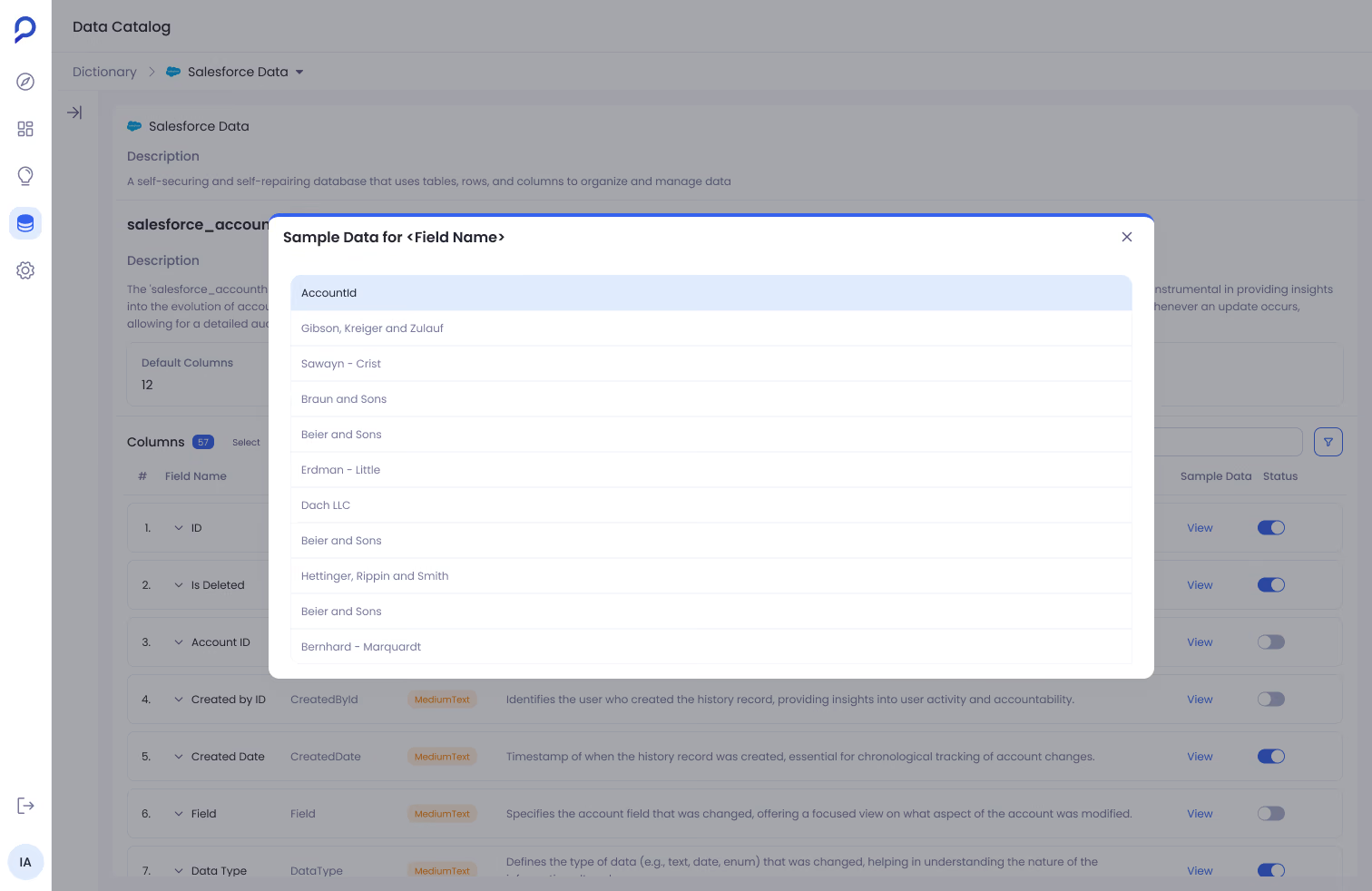
Data Hub: sample values appear in place, without leaving the column list.
AI couldn't have made that call. It didn't know who would be sitting in front of the screen.
Deciding what to show and what to hide
Sage is our AI assistant. It explains in plain language why a number changed. Behind every answer there are queries, joins and filters. A few users want to see all of that. Most don't.
So we hide the technical details by default, and anyone who wants to check them is one click away. Showing everything would overwhelm most people. Hiding everything would lose the people who need to verify. Choosing that balance, what gets the emphasis and what doesn't, is a design decision.
Sage, live on this page: the code behind an answer, hidden by default and one click away.
Designing every state, including when the AI is wrong
AI is great at the happy path. That's the easy part. The hard part is everything else.
When I was building Sage, I had to ask: what does it show while it's thinking? What if the question isn't clear? What if the data can't answer it? I designed each of these as its own state. When Sage can't answer, it says so clearly instead of guessing. Every answer also ends with a guardrail: what to watch out for before you act on it.
These states are what make people trust a product, and a quick prototype almost never has them. You can design a screen in a day, but that alone won't solve the user's problem. After using something for a week, you remember how it felt. Was it calm, or noisy?
Making trade-offs on purpose
In Sage, a conversation used to stay locked to the dashboard it started from. If you moved to a different dashboard, you had to start a new conversation, and Sage couldn't use the context of one dashboard when asked from another. We quickly realised users didn't know about this limitation, so we changed it. Removing that one constraint let the feature work more intuitively across the product.
Someone has to make decisions like this on purpose, and be able to explain the reasoning behind them.
The designer writes the rules the AI follows
In my last post I said the biggest challenge with AI is assumption. When something is missing, the AI fills the gap with a guess.
The designer is the person who fills those gaps. At Petavue, our component library, design system docs and written design guidelines in GitHub are what AI and our developers build from. A new feature starts from those rules, not from an empty chat. When the output is wrong, I fix the rule, not just the screen, so the AI doesn't make the same mistake again.
A lot of people at my company build with AI now. Part of my work is helping them make better design decisions, so what they build still follows our principles. I don't feel like I'm competing with AI. I'm the one setting its guardrails.
How PMs and designers can work together now
This is how I'd split it:
- The PM uses AI to explore the idea, test it quickly and agree on scope.
- The designer and the developer take it from "it works" to "it's right": the user, the states, the handoff, the trade-offs and the system it fits into.
Both of us can build now. We're just responsible for different things.
What I'd tell other designers
If you're a designer worried about this, here's what I'd focus on:
- Keep talking to users. AI can't do that part for you. Without them, it will make assumptions and take the product in a different direction.
- Learn how AI works and where its limits are, and set guardrails, so you're always aware of and in control of what you're building.
- Build systems first: components, guidelines and principles that your team, and the AI, can follow.
- Get better at explaining your decisions. When anyone can make a screen, your reasoning is what makes your work stand out.
So, what does a designer do?
The question isn't designer or PM. Anyone can make a screen now. The question is who decides what good looks like.
That's the designer's job. And with AI, it matters more, not less.